Extended Markdown Syntax
Here are the extended Markdown syntaxes supported by FlexiMark.
Overview
In addition to the basic Markdown syntax, FlexiMark supports its own extended syntax.
While these notations are not widely standardized, they are supported because we believe they are useful for taking daily notes in Markdown.
LaTeX
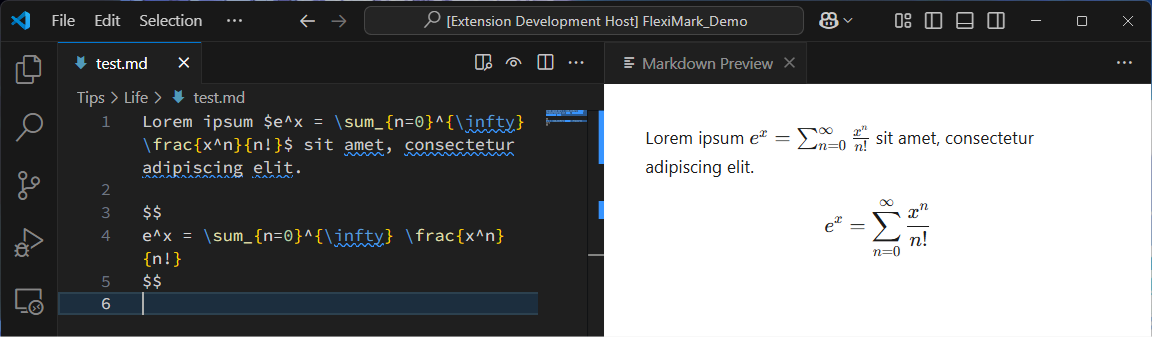
You can write mathematical expressions using KaTeX.
Lorem ipsum $e^x = \sum_{n=0}^{\infty} \frac{x^n}{n!}$ sit amet, consectetur adipiscing elit.

$$
e^x = \sum_{n=0}^{\infty} \frac{x^n}{n!}
$$
Admonition/Alert Syntax
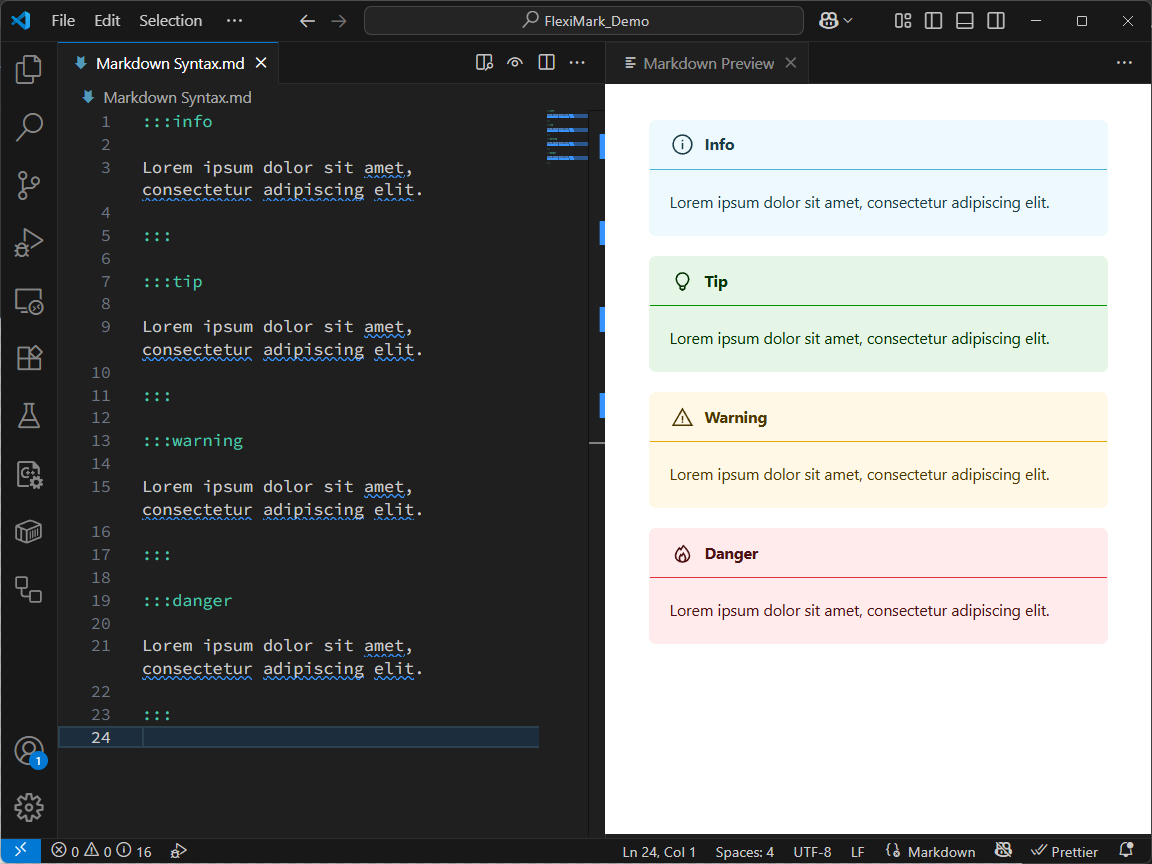
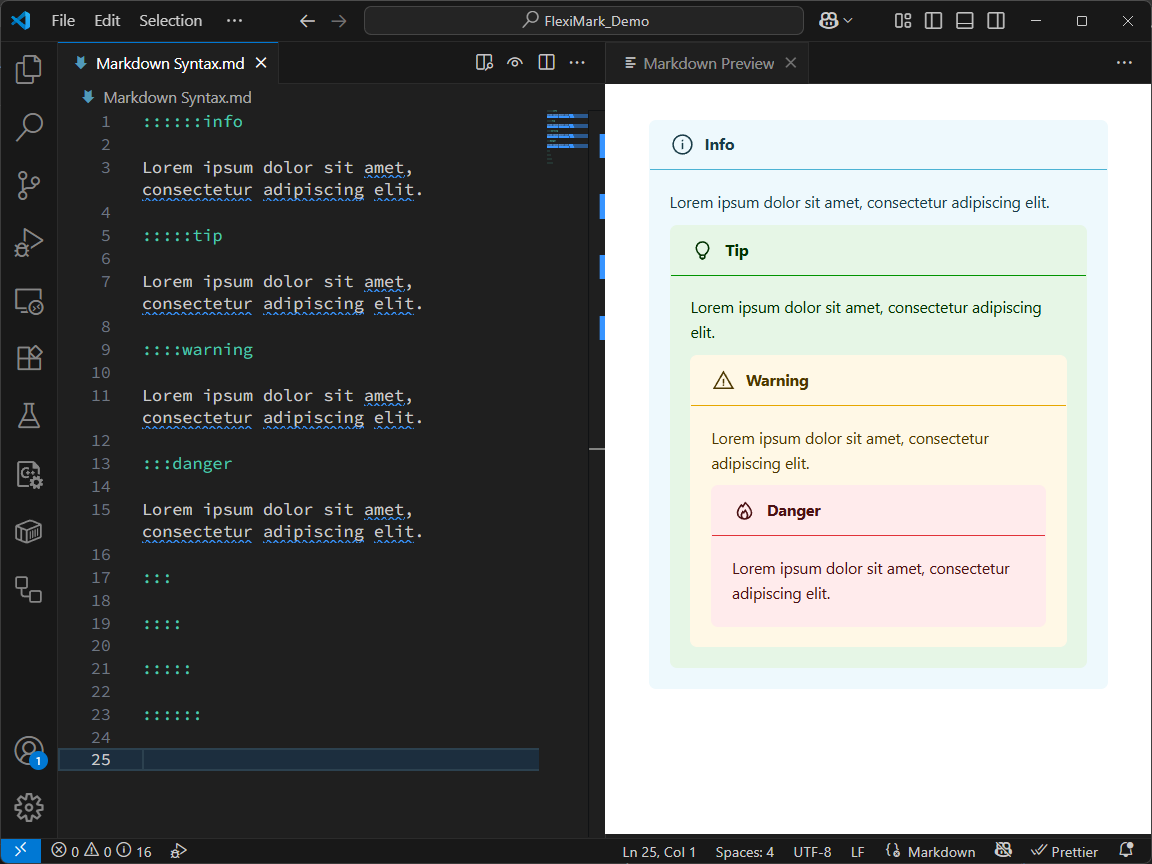
This provides functionality equivalent to Docusaurus Admonitions or GitHub Alerts.
You can use any Markdown syntax inside the block.
Additionally, by using Collecting Admonitions/Alerts, you can gather all admonitions/alerts across notes under a specified category into a single Markdown file for organization.
:::info

Lorem ipsum dolor sit amet, consectetur adipiscing elit.

:::

:::tip

Lorem ipsum dolor sit amet, consectetur adipiscing elit.

:::

:::warning

Lorem ipsum dolor sit amet, consectetur adipiscing elit.

:::

:::danger

Lorem ipsum dolor sit amet, consectetur adipiscing elit.

:::
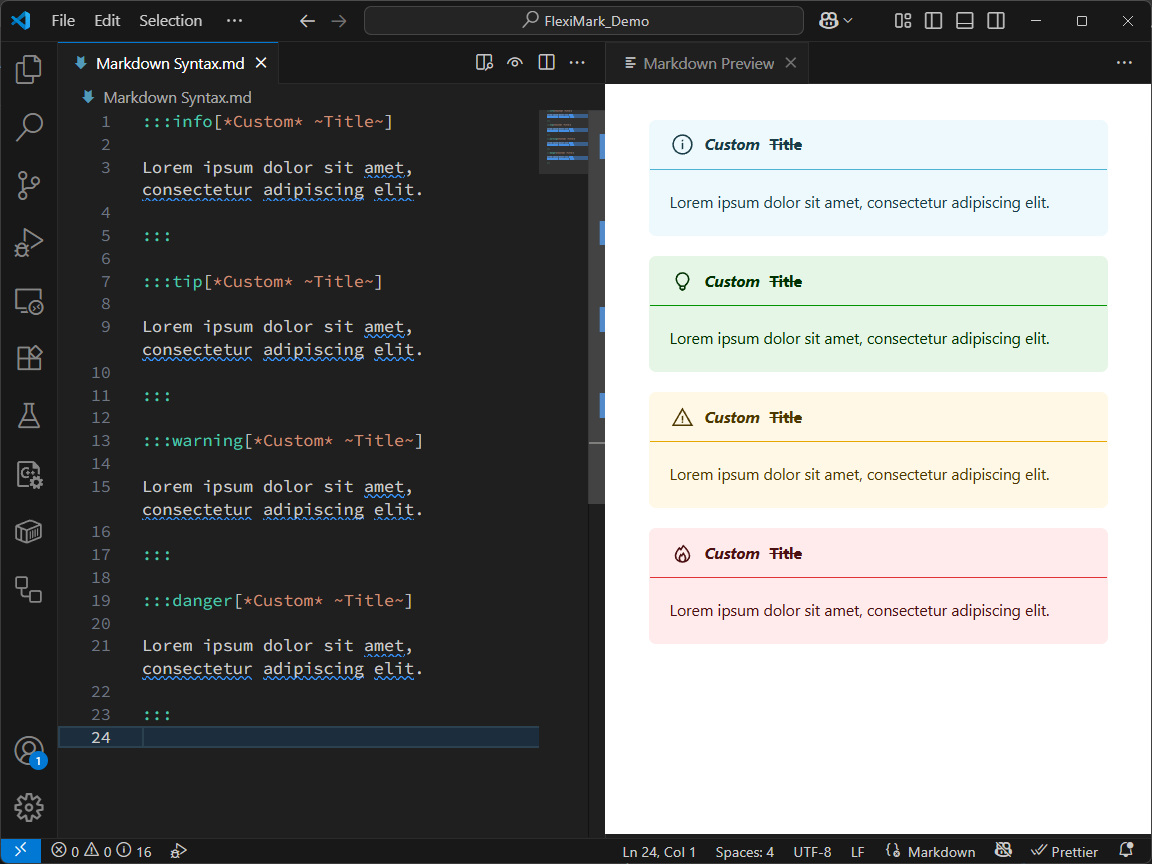
You can also add custom titles to admonitions/alerts, with support for Markdown formatting in the title.
:::info[*Custom* ~Title~]

Lorem ipsum dolor sit amet, consectetur adipiscing elit.

:::

:::tip[*Custom* ~Title~]

Lorem ipsum dolor sit amet, consectetur adipiscing elit.

:::

:::warning[*Custom* ~Title~]

Lorem ipsum dolor sit amet, consectetur adipiscing elit.

:::

:::danger[*Custom* ~Title~]

Lorem ipsum dolor sit amet, consectetur adipiscing elit.

:::
Admonitions/alerts can also be nested. It’s recommended to vary the number of colons (:) to create proper pairs.
Tabs Syntax
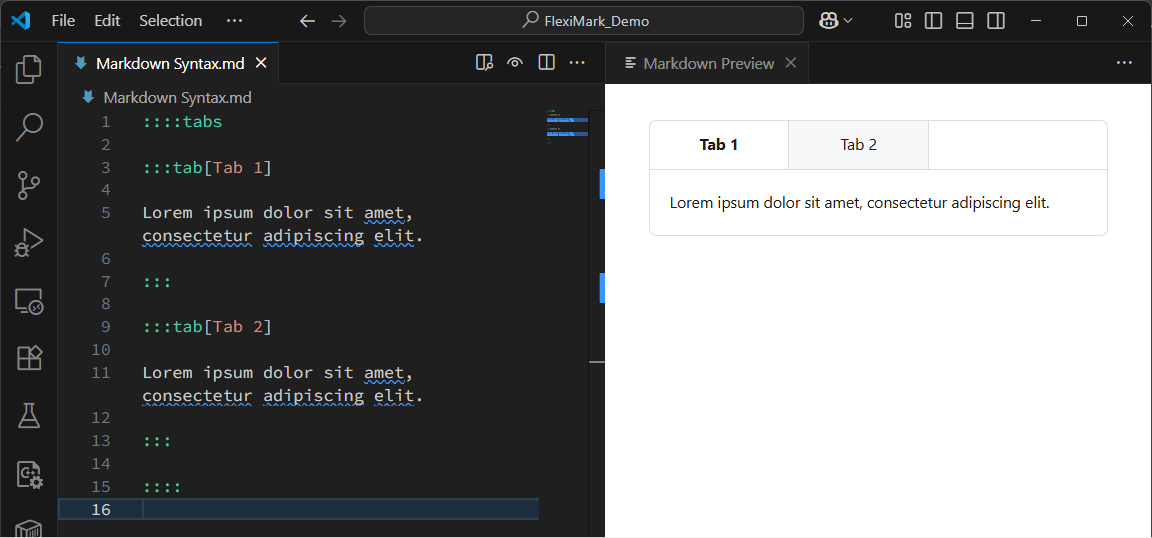
You can create tabs to separate content. Any Markdown syntax can be used inside.
::::tabs

:::tab[Tab 1]

Lorem ipsum dolor sit amet, consectetur adipiscing elit.

:::

:::tab[Tab 2]

Lorem ipsum dolor sit amet, consectetur adipiscing elit.

:::

::::
Collapsible Section
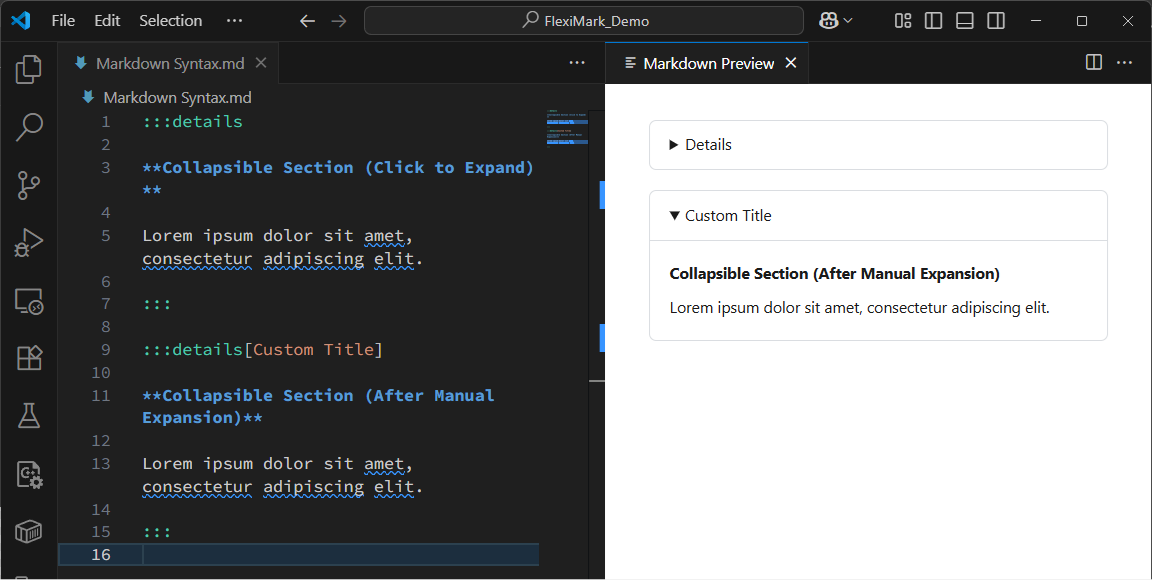
An alternative to the HTML <details> tag. You can also add a custom title.
:::details

**Collapsible Section (Click to Expand)**

Lorem ipsum dolor sit amet, consectetur adipiscing elit.

:::

:::details[Custom Title]

**Collapsible Section (After Manual Expansion)**

Lorem ipsum dolor sit amet, consectetur adipiscing elit.

:::
YouTube iframe
When a YouTube URL is added as a single paragraph, it is automatically converted into an iframe.
Non-shortened URLs are also supported. If the URL appears within a paragraph, it won’t be converted into an iframe.
https://youtu.be/G1W3aroArqY

Lorem https://youtu.be/G1W3aroArqY dolor sit amet, consectetur adipiscing elit.
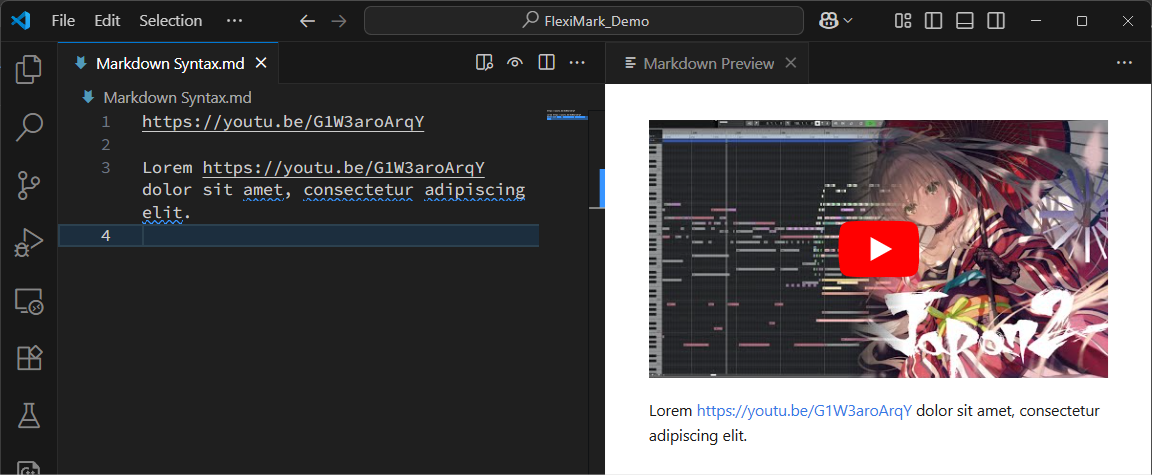
In VSCode preview, iframes don’t work correctly. Use browser preview if you want to run iframes.
Code Blocks
In addition to syntax highlighting, code blocks support titles, line numbers, line highlighting, word highlighting, and diff highlighting.
Basic Syntax
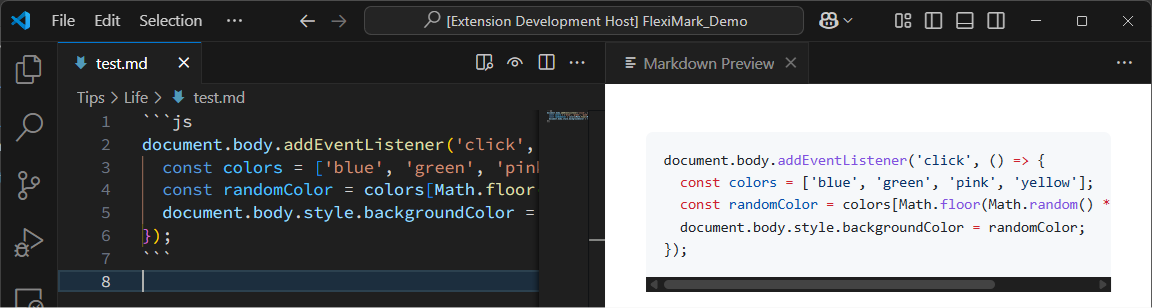
For simple syntax highlighting, write as follows. After the backticks, specify the language (plaintext, js, py, etc.).
```js
document.body.addEventListener('click', () => {
  const colors = ['blue', 'green', 'pink', 'yellow'];
  const randomColor = colors[Math.floor(Math.random() * colors.length)];
  document.body.style.backgroundColor = randomColor;
});
```
Title
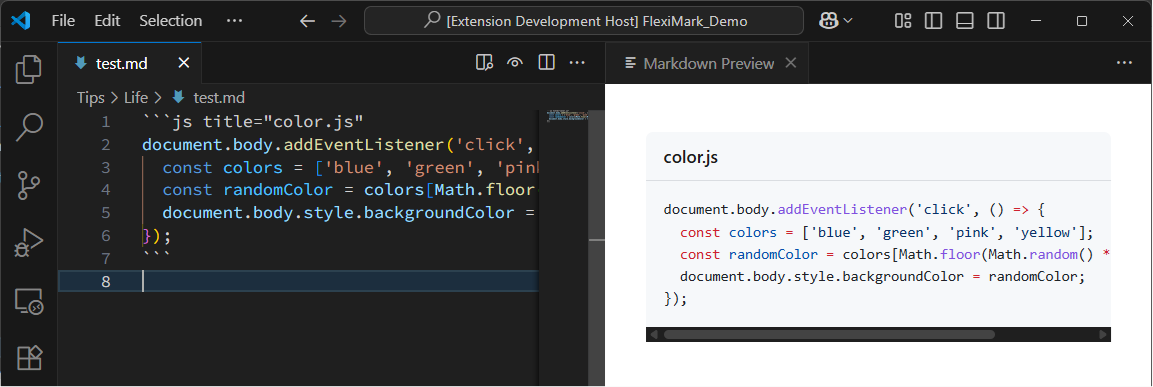
To add a title, write as follows. The language name is required.
```js title="color.js"
document.body.addEventListener('click', () => {
  const colors = ['blue', 'green', 'pink', 'yellow'];
  const randomColor = colors[Math.floor(Math.random() * colors.length)];
  document.body.style.backgroundColor = randomColor;
});
```
Line Numbers
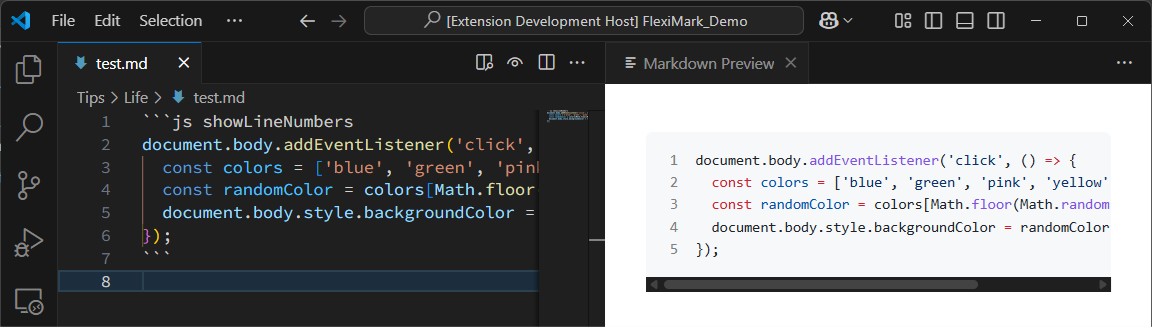
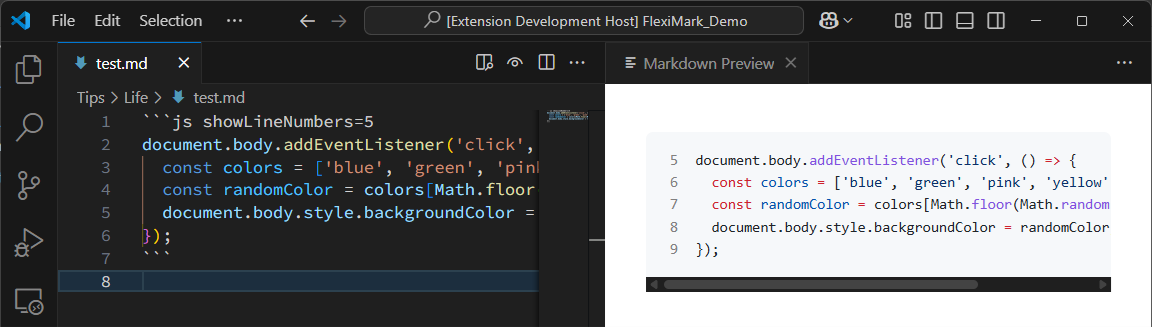
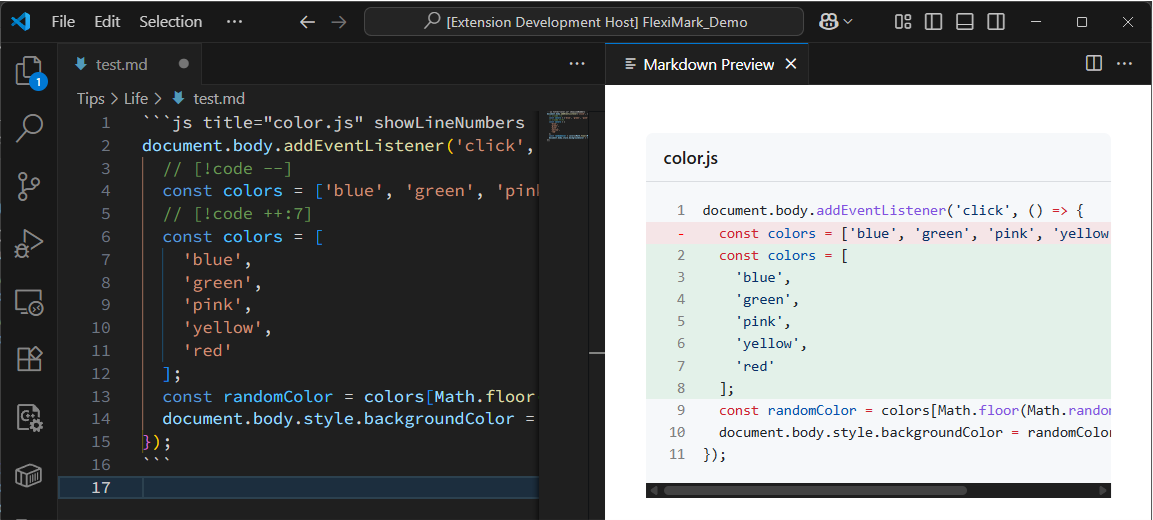
To show line numbers, write as follows. The language name is required.
- Simple Example
- Starting from a specific number
```js showLineNumbers
document.body.addEventListener('click', () => {
  const colors = ['blue', 'green', 'pink', 'yellow'];
  const randomColor = colors[Math.floor(Math.random() * colors.length)];
  document.body.style.backgroundColor = randomColor;
});
```
```js showLineNumbers=5
document.body.addEventListener('click', () => {
  const colors = ['blue', 'green', 'pink', 'yellow'];
  const randomColor = colors[Math.floor(Math.random() * colors.length)];
  document.body.style.backgroundColor = randomColor;
});
```
Line Highlighting
To highlight specific lines, write as follows. The language name is required.
- Simple Example
- Inline notation
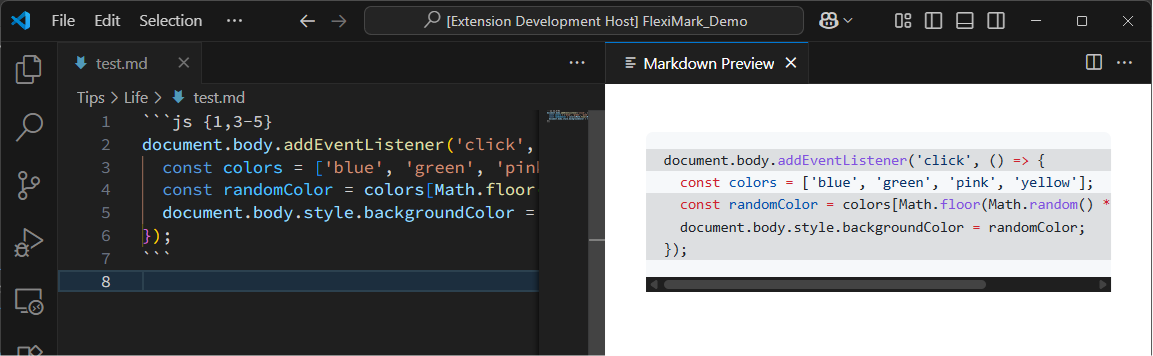
Line 1 and lines 3–5 are highlighted.
```js {1,3-5}
document.body.addEventListener('click', () => {
  const colors = ['blue', 'green', 'pink', 'yellow'];
  const randomColor = colors[Math.floor(Math.random() * colors.length)];
  document.body.style.backgroundColor = randomColor;
});
```
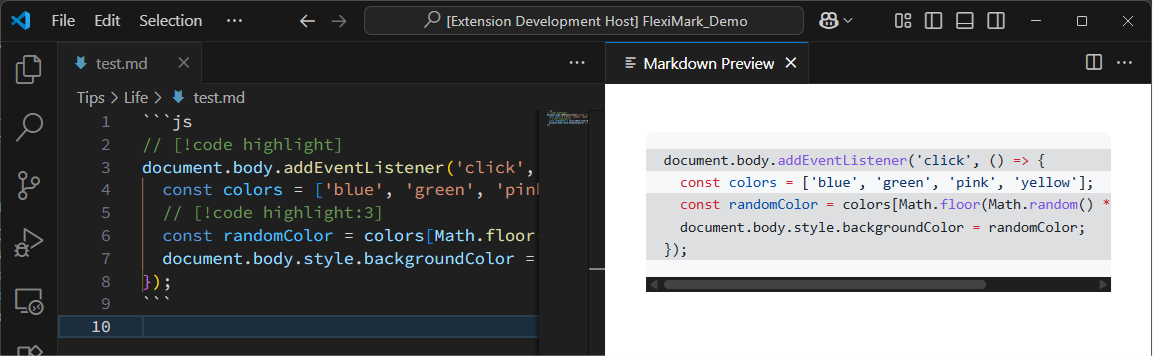
You can also add [!code highlight] as a comment. This produces the same highlighting (line 1 and lines 3–5).
```js
// [!code highlight]
document.body.addEventListener('click', () => {
  const colors = ['blue', 'green', 'pink', 'yellow'];
  // [!code highlight:3]
  const randomColor = colors[Math.floor(Math.random() * colors.length)];
  document.body.style.backgroundColor = randomColor;
});
```
Diff Highlighting
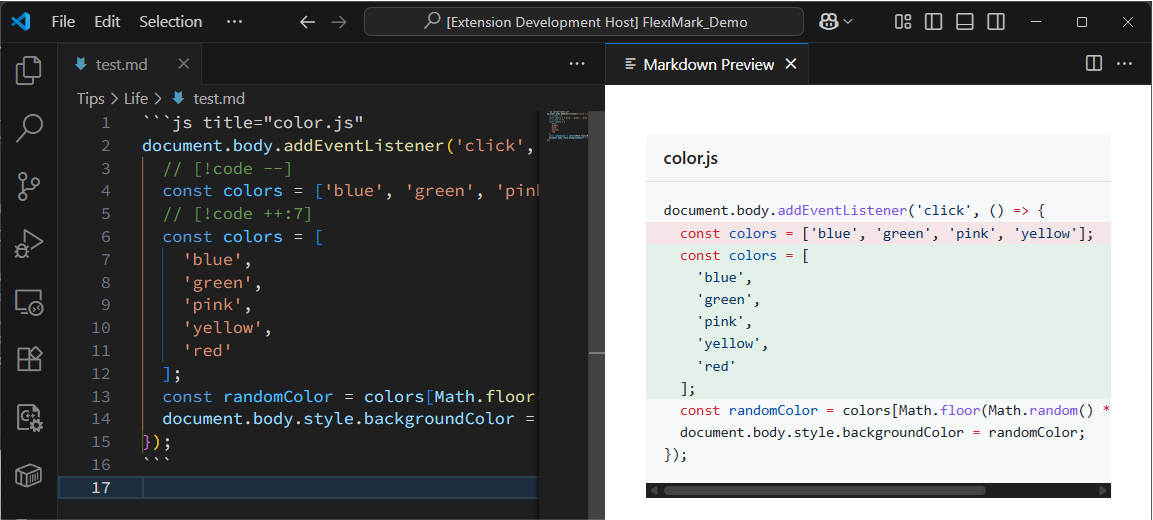
To show diff-style highlights, add [!code --] or [!code ++] as comments. The language name is required.
- Simple Example
- Combined with line numbers
```js title="color.js"
document.body.addEventListener('click', () => {
  // [!code --]
  const colors = ['blue', 'green', 'pink', 'yellow'];
  // [!code ++:7]
  const colors = [
    'blue',
    'green',
    'pink',
    'yellow',
    'red'
  ];
  const randomColor = colors[Math.floor(Math.random() * colors.length)];
  document.body.style.backgroundColor = randomColor;
});
```
```js title="color.js" showLineNumbers
document.body.addEventListener('click', () => {
  // [!code --]
  const colors = ['blue', 'green', 'pink', 'yellow'];
  // [!code ++:7]
  const colors = [
    'blue',
    'green',
    'pink',
    'yellow',
    'red'
  ];
  const randomColor = colors[Math.floor(Math.random() * colors.length)];
  document.body.style.backgroundColor = randomColor;
});
```
Word Highlighting
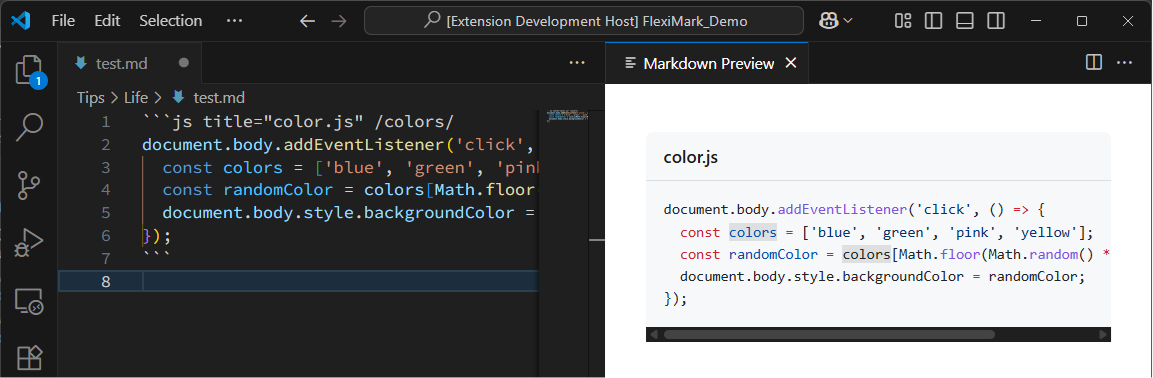
You can highlight specific words inside a code block.
```js title="color.js" /colors/
document.body.addEventListener('click', () => {
  const colors = ['blue', 'green', 'pink', 'yellow'];
  const randomColor = colors[Math.floor(Math.random() * colors.length)];
  document.body.style.backgroundColor = randomColor;
});
```
Mermaid
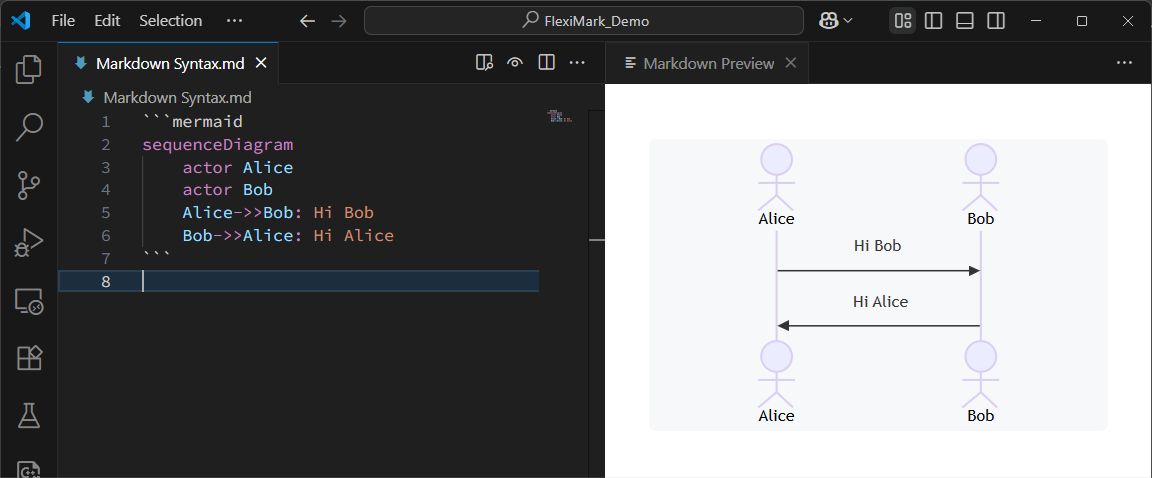
You can render diagrams using Mermaid.
```mermaid
sequenceDiagram
    actor Alice
    actor Bob
    Alice->>Bob: Hi Bob
    Bob->>Alice: Hi Alice
```
For better Mermaid syntax highlighting, we recommend installing this extension:
ABC Notation
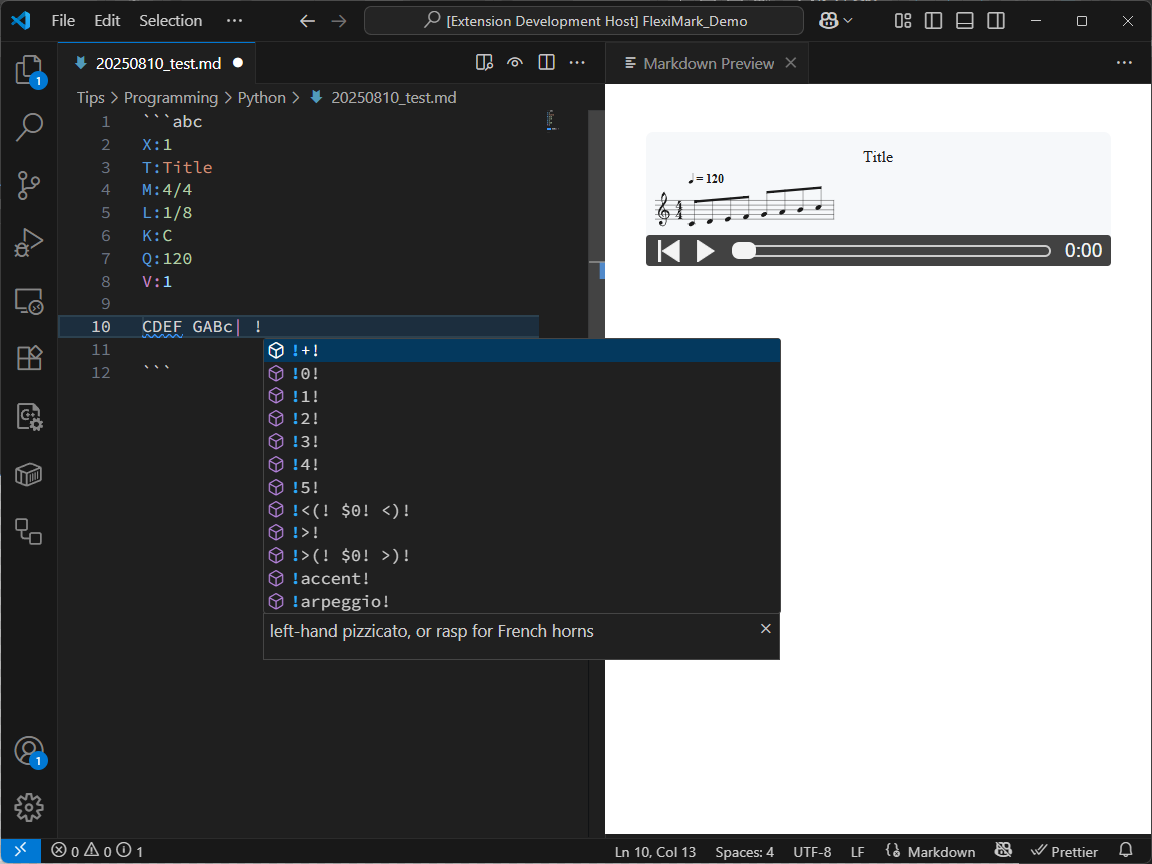
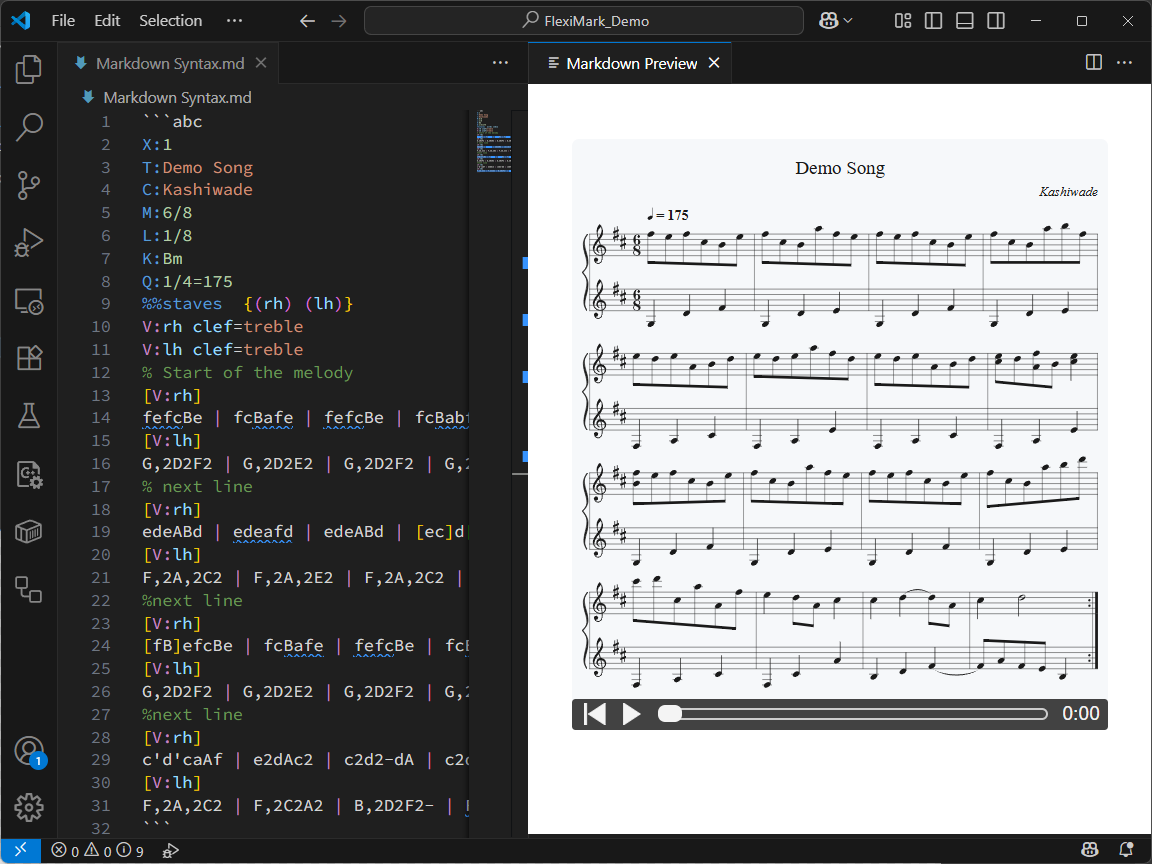
Supports ABC Notation for writing musical scores.
Also supports syntax highlighting, snippets, playback, and cursor position indication.
```abc
X:1
T:Demo Song
C:Kashiwade
M:6/8
L:1/8
K:Bm
Q:1/4=175
%%staves  {(rh) (lh)}
V:rh clef=treble
V:lh clef=treble
% Start of the melody
[V:rh]
fefcBe | fcBafe | fefcBe | fcBabf |
[V:lh]
G,2D2F2 | G,2D2E2 | G,2D2F2 | G,2D2E2 |
% next line
[V:rh]
edeABd | edeafd | edeABd | [ec]d[fA]B[ec]2 |
[V:lh]
F,2A,2C2 | F,2A,2E2 | F,2A,2C2 | F,2A,2E2 |
%next line
[V:rh]
[fB]efcBe | fcBafe | fefcBe | fcBabd' |
[V:lh]
G,2D2F2 | G,2D2E2 | G,2D2F2 | G,2D2E2 |
%next line
[V:rh]
c'd'caAf | e2dAc2 | c2d2-dA | c2d4 :|
[V:lh]
F,2A,2C2 | F,2C2A2 | B,2D2F2- | FAFEB,2 :|
```
Inside an ABC code block, typing a backslash (\) will trigger ABC notation snippets.
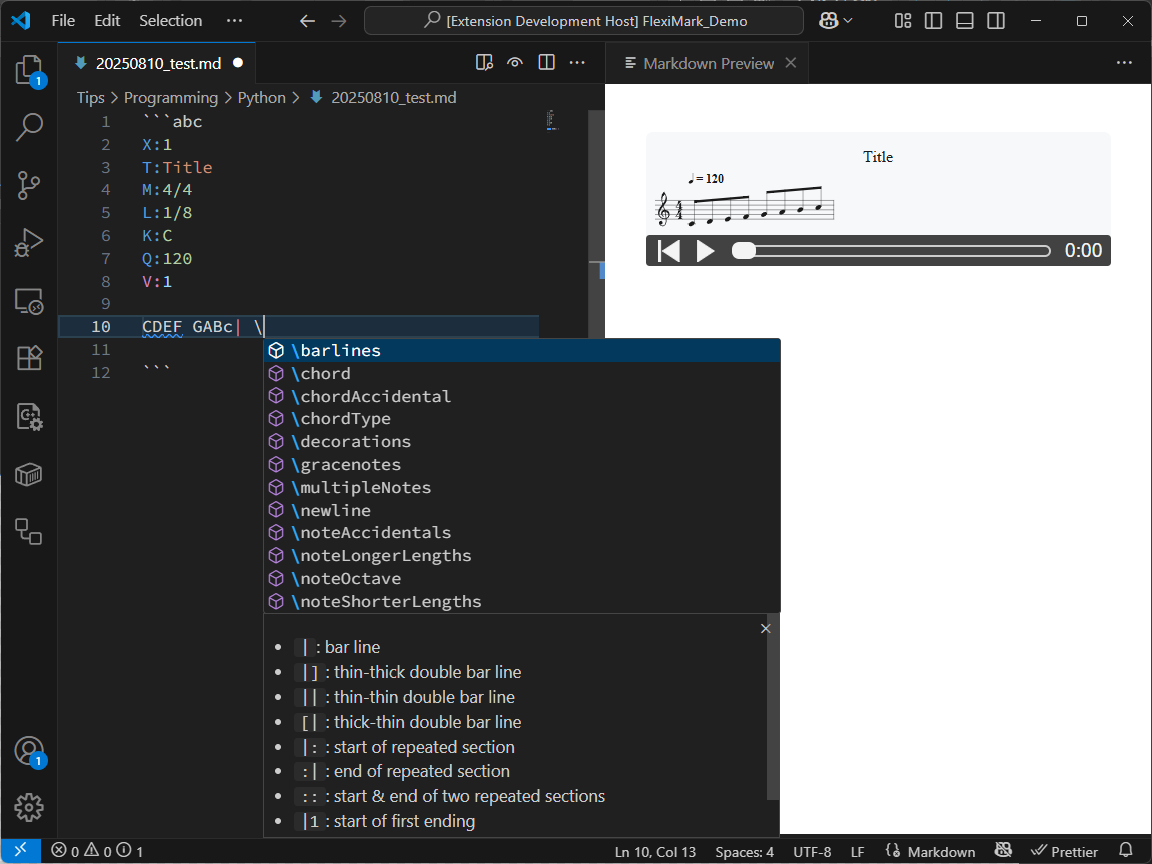
Typing an exclamation mark (!) inside an ABC code block will trigger symbol snippets.